What is buildBOQ?

AI-powered estimating, from first drawings to tender submission.
What is buildBOQ?
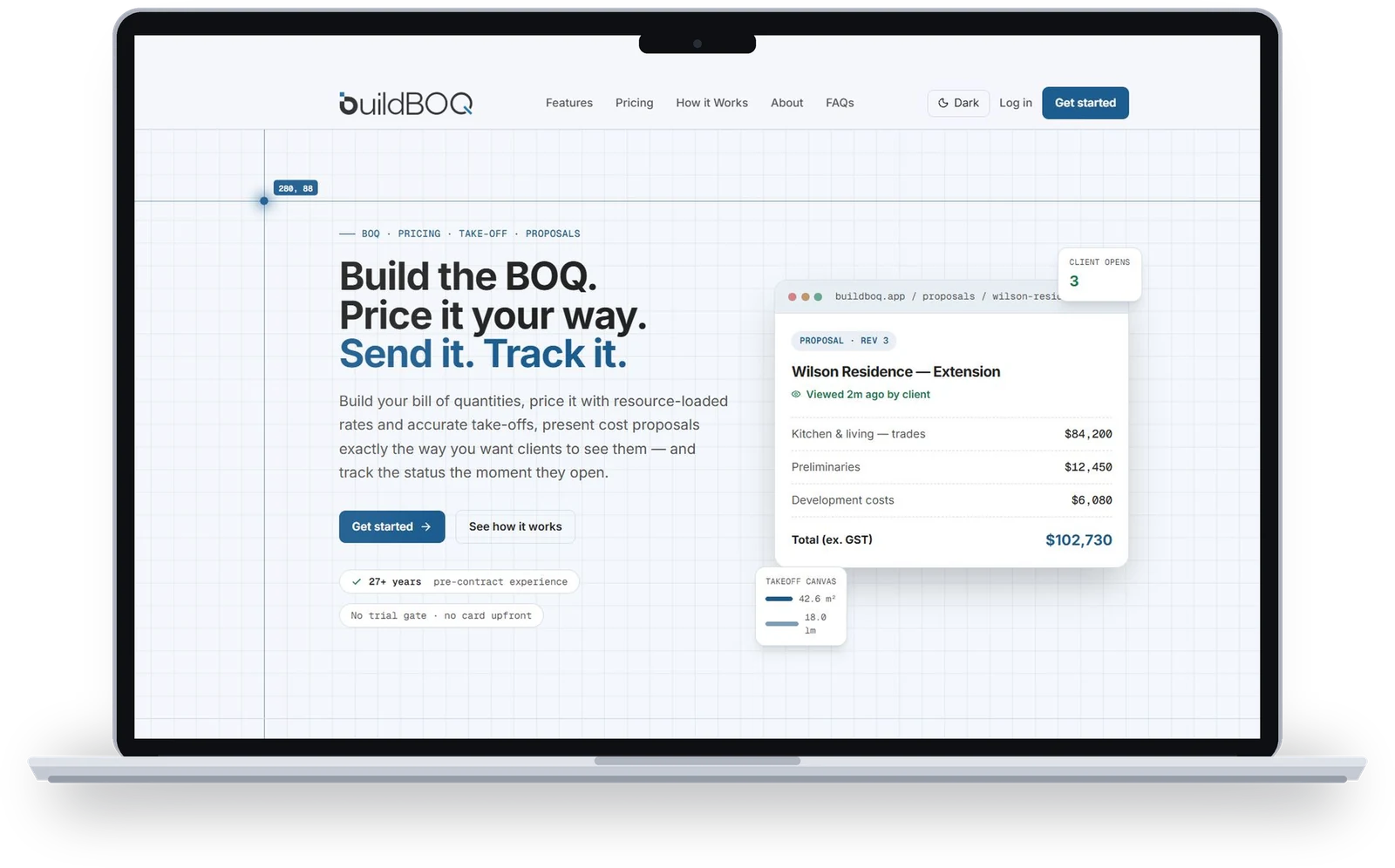
An estimating app for project pricing during the tendering process, with AI that drastically cuts the time to prepare a tender submission.
Who
Small to medium-scale builders
What
Tender pricing strategy, estimates and submissions
Why
AI features that save hours on every tender
Built for every sector
Sign up in minutes
Start at www.buildboq.com
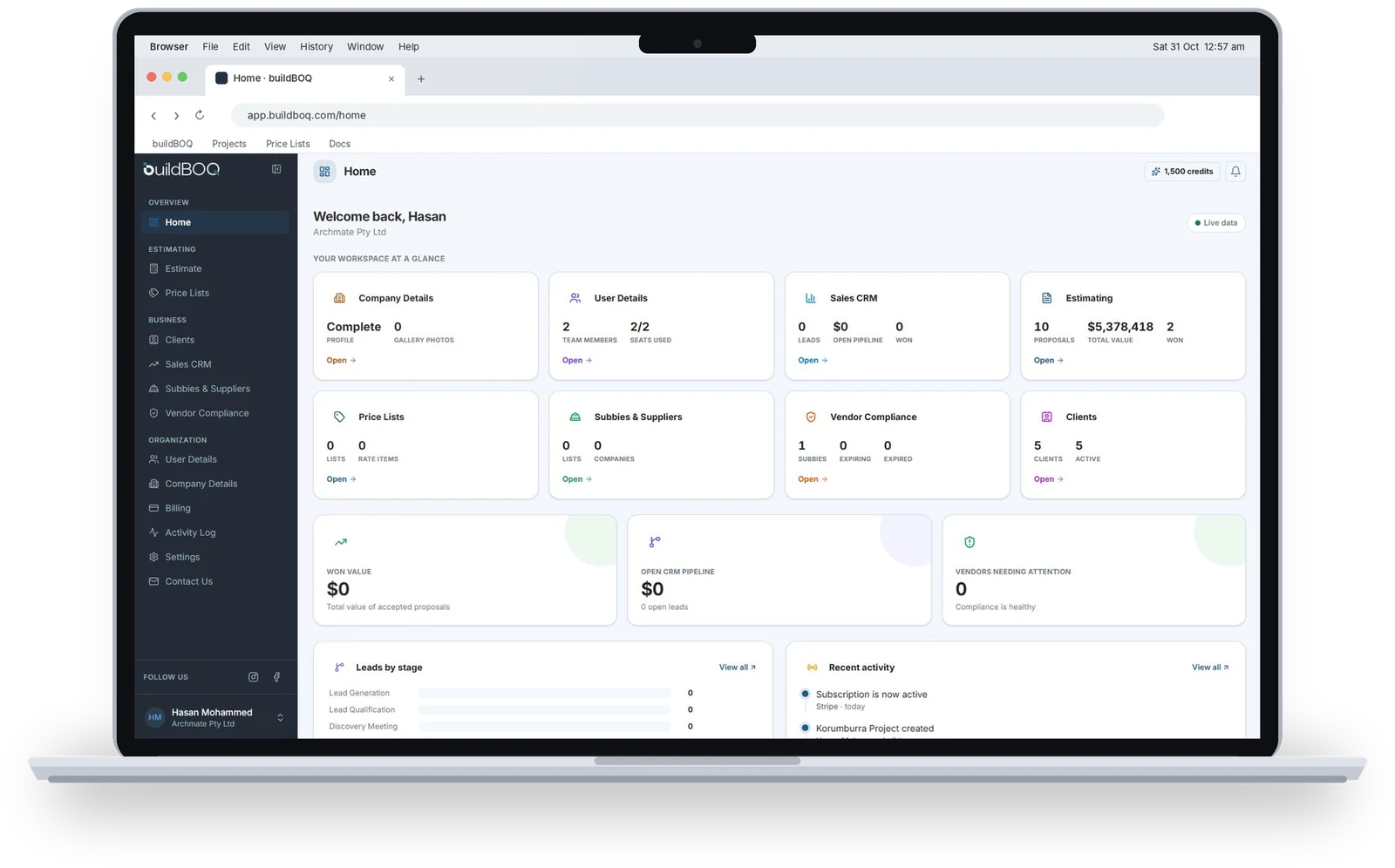
Your home dashboard
Every job at a glance
- Sidebar on the left gives one-click access to every feature
- Summary of each module and your recent activity
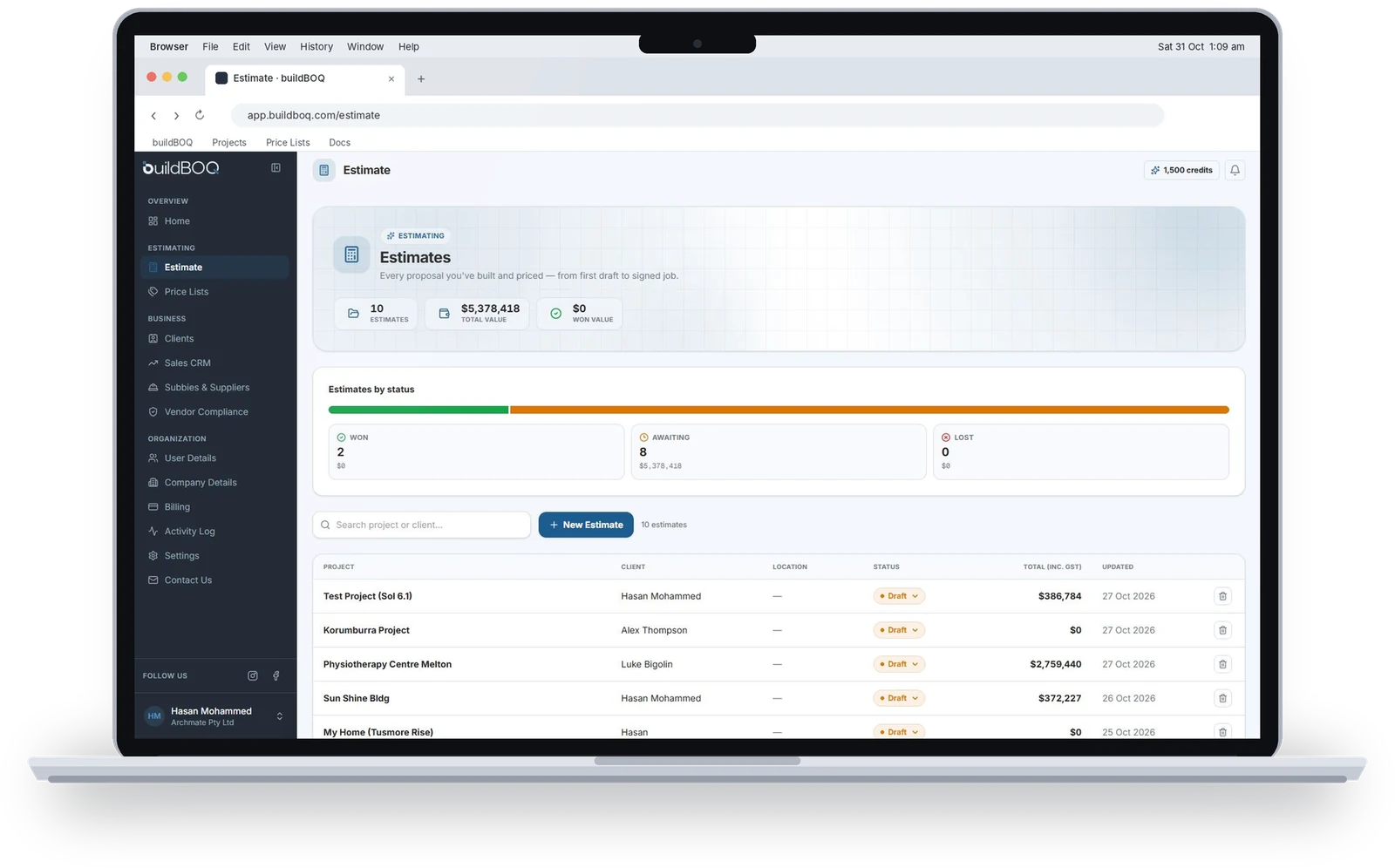
- Snapshot of recent estimates with $/m² rate and status
What we'll cover today
Estimate
The heart of buildBOQ
Create a new estimate
Name, address, client name and client company, then you're in
Your project opens with a row of tabs across the top. Together, they follow the full life of a tender.
Project tabs
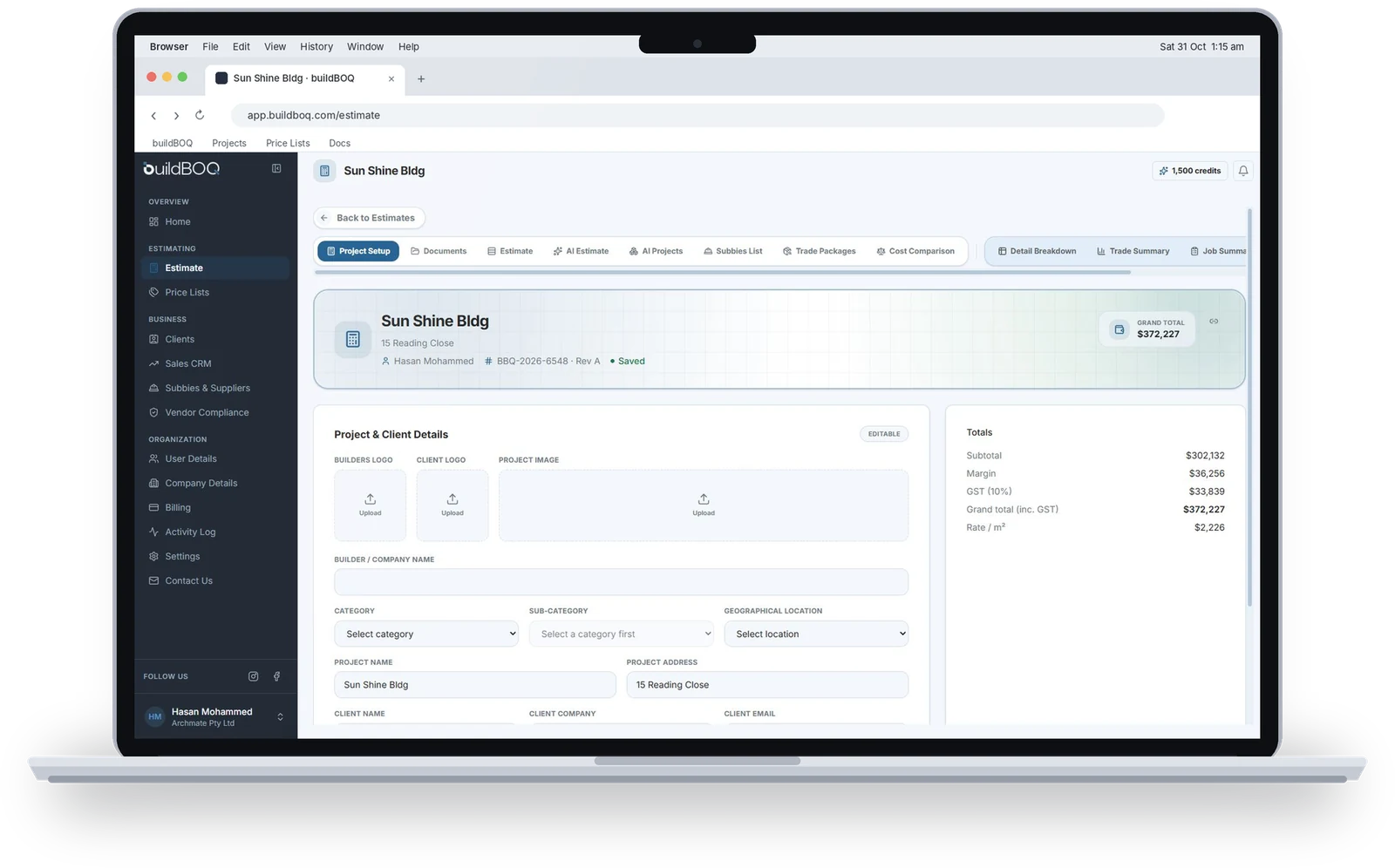
Project setup and documents
Everything for the job in one place
- Project Setup: add project and client details, including logos
- Logos and details flow straight into your reports
- Documents: upload drawings and files from the client or architect
- Uploaded documents are listed on screen
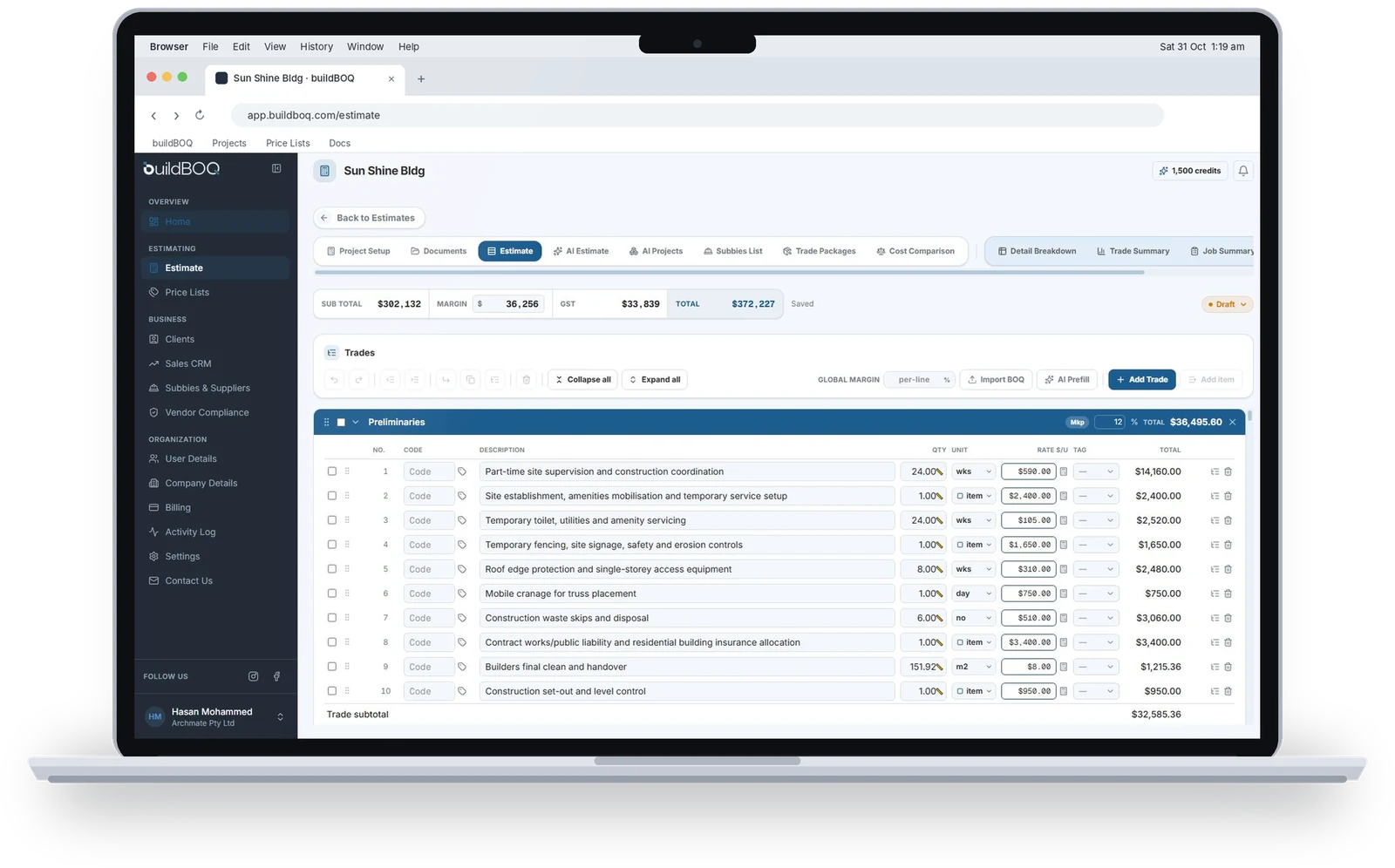
Build the estimate
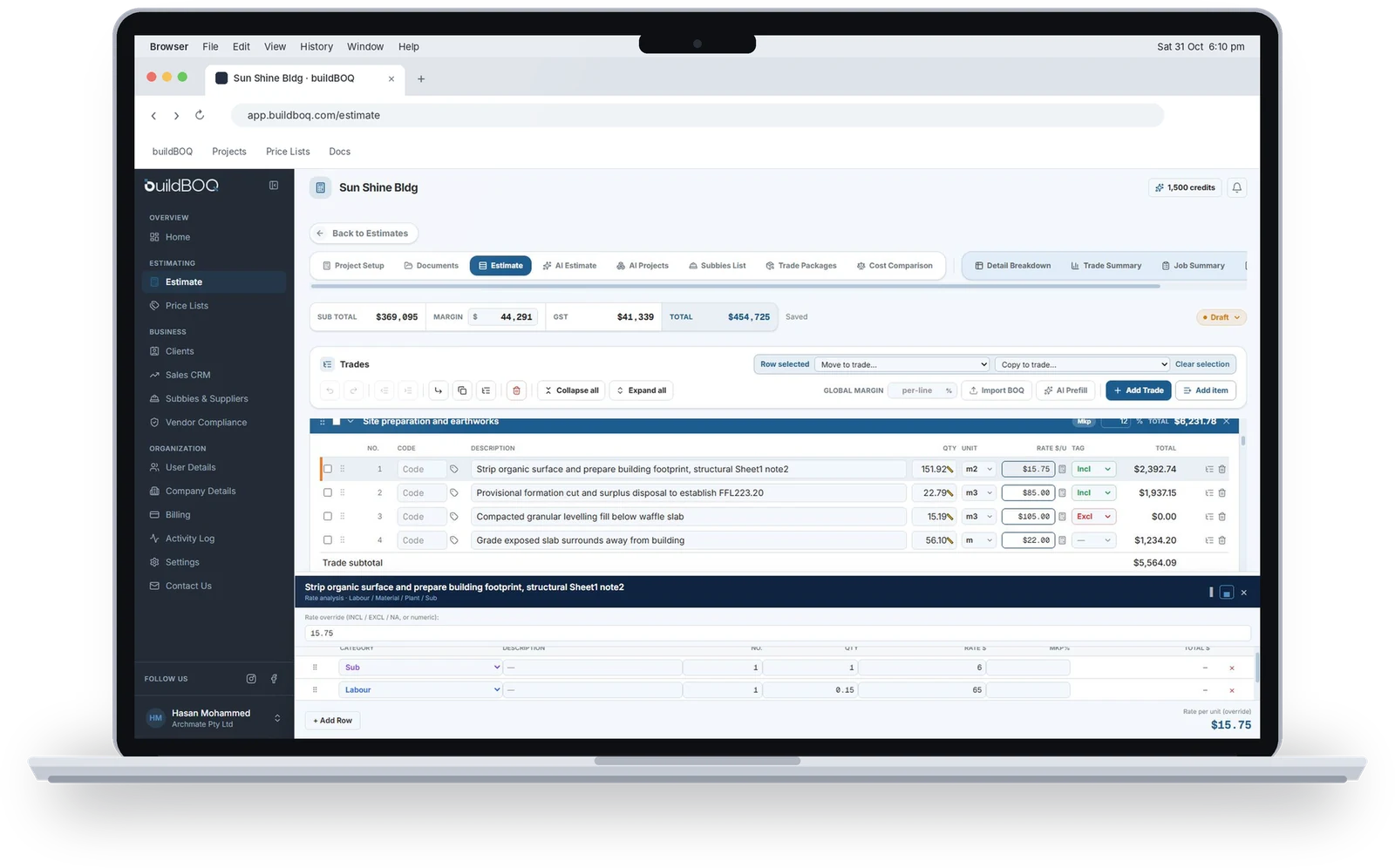
Trade sections and line items in a WBS
- Columns: S.No, Code, Description, Qty, Unit, Rate, Tag, Total
- Toolbar and keyboard: insert, delete, copy, paste, undo, redo
- Click a Code cell to open the Assign dialog and recall items from your price list
Quantity take-off on the canvas
Click the ruler icon in any Qty cell
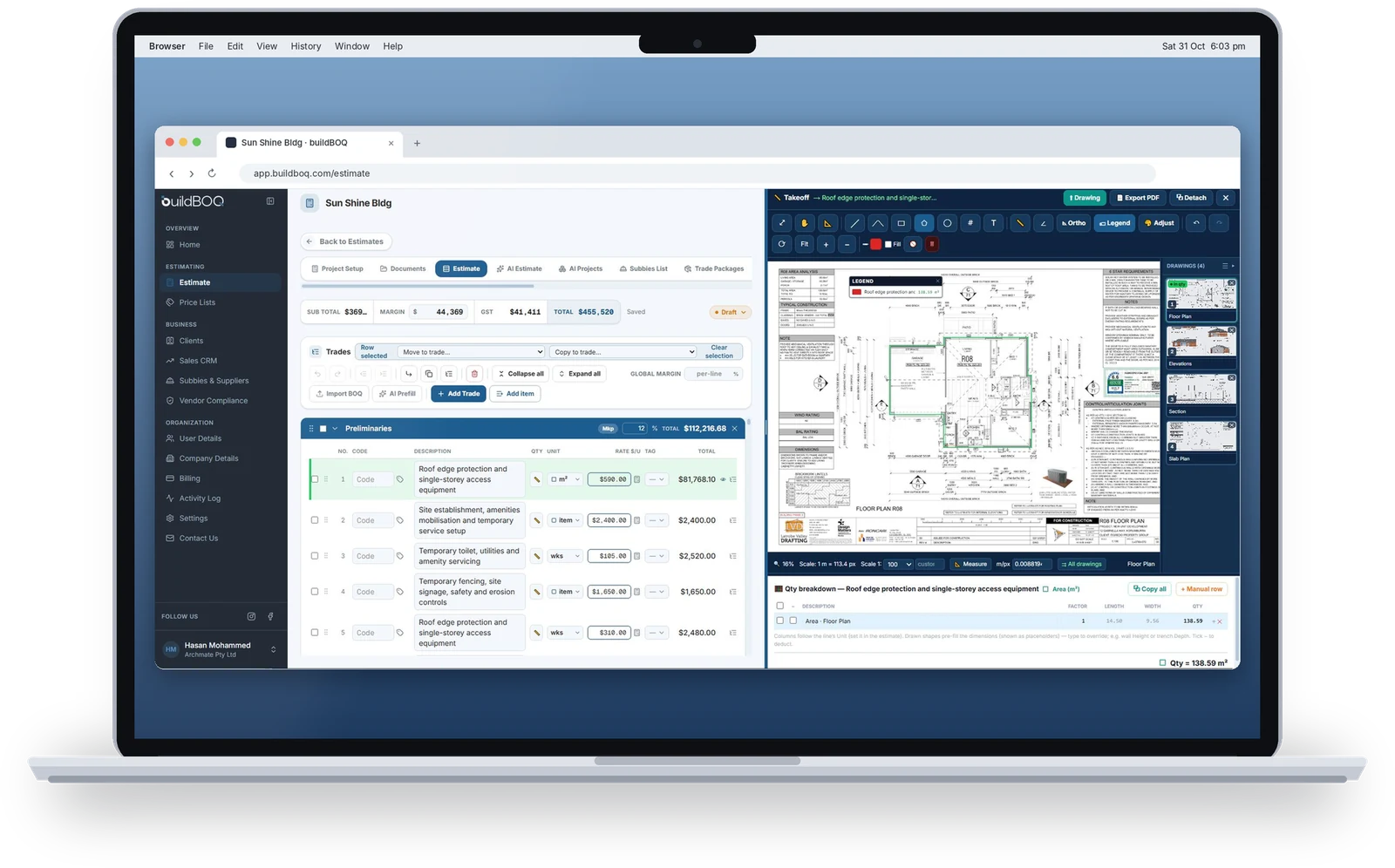
Measuring tools
- Copy measurements between items
- Convert area to perimeter or volume
Rates and tags
Price from first principles, then tag every line
First-principles rate build-up
Line-item tags
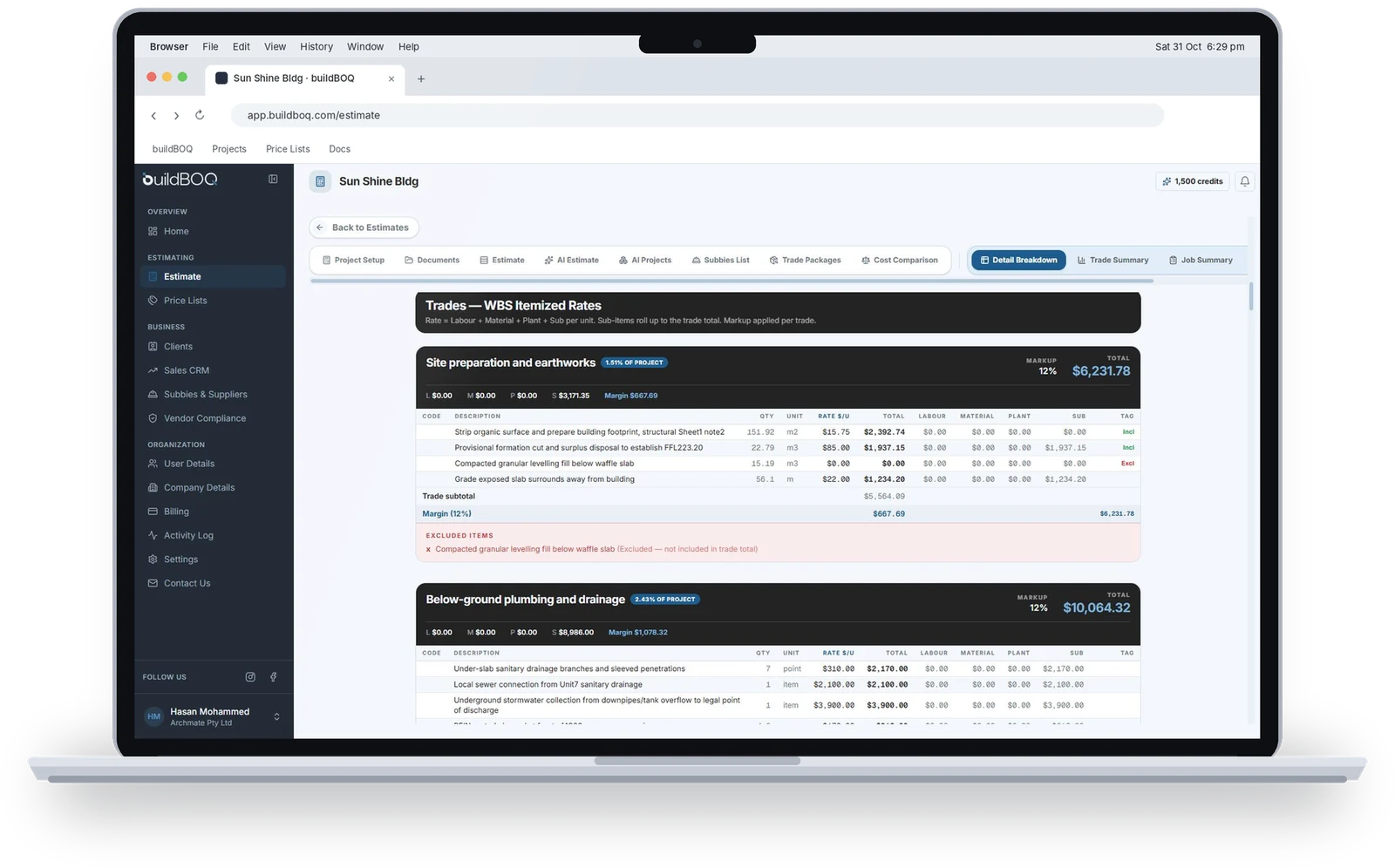
Tags automatically build the PS, PC and exclusion sections of your reports.
Three levels of report
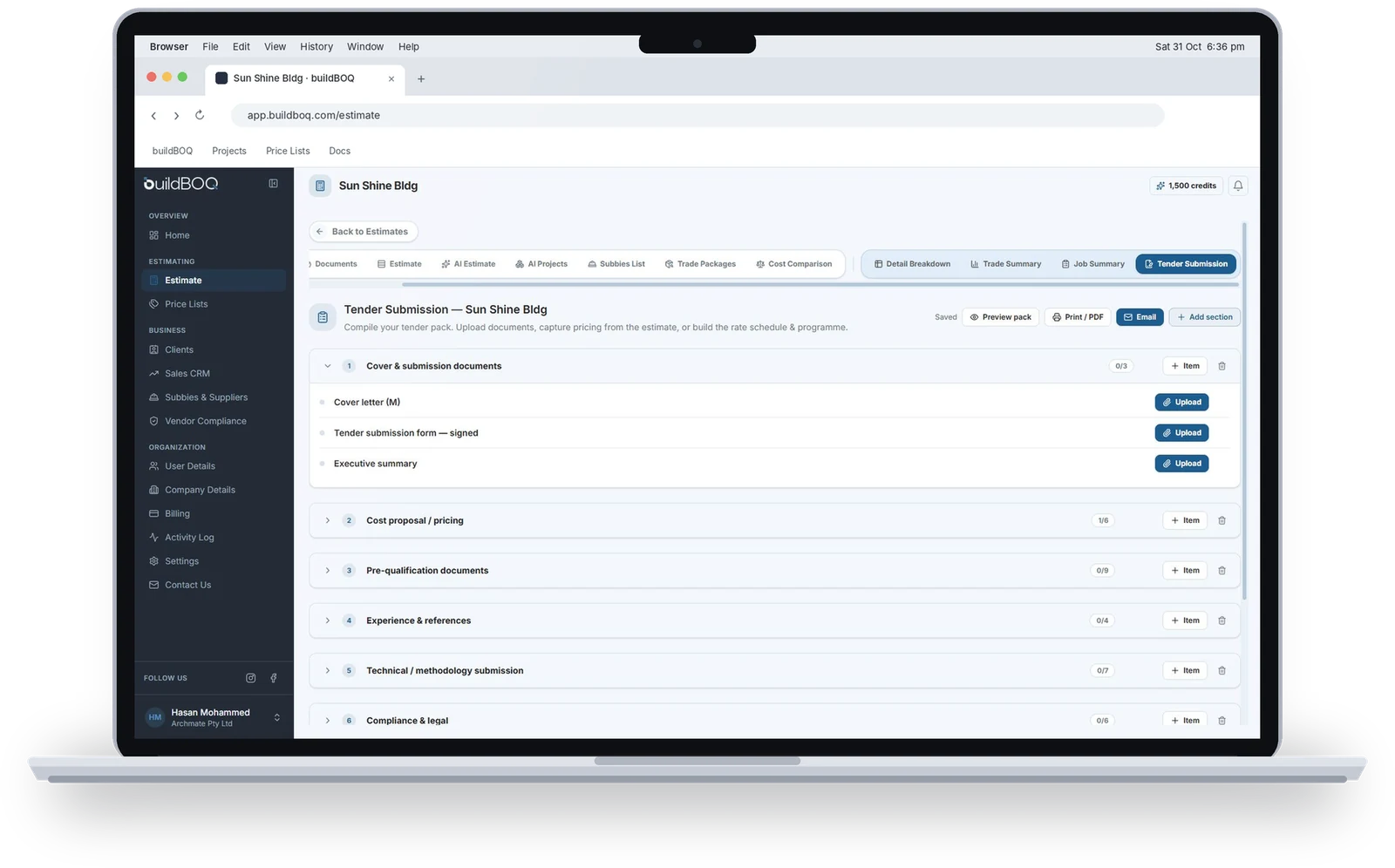
Tender submission
Compile once, no duplicated work
- Sections match each client's tender requirements
- Customise every section
- Pulls in information already stored in buildBOQ
- Generates a complete, professional tender submission report
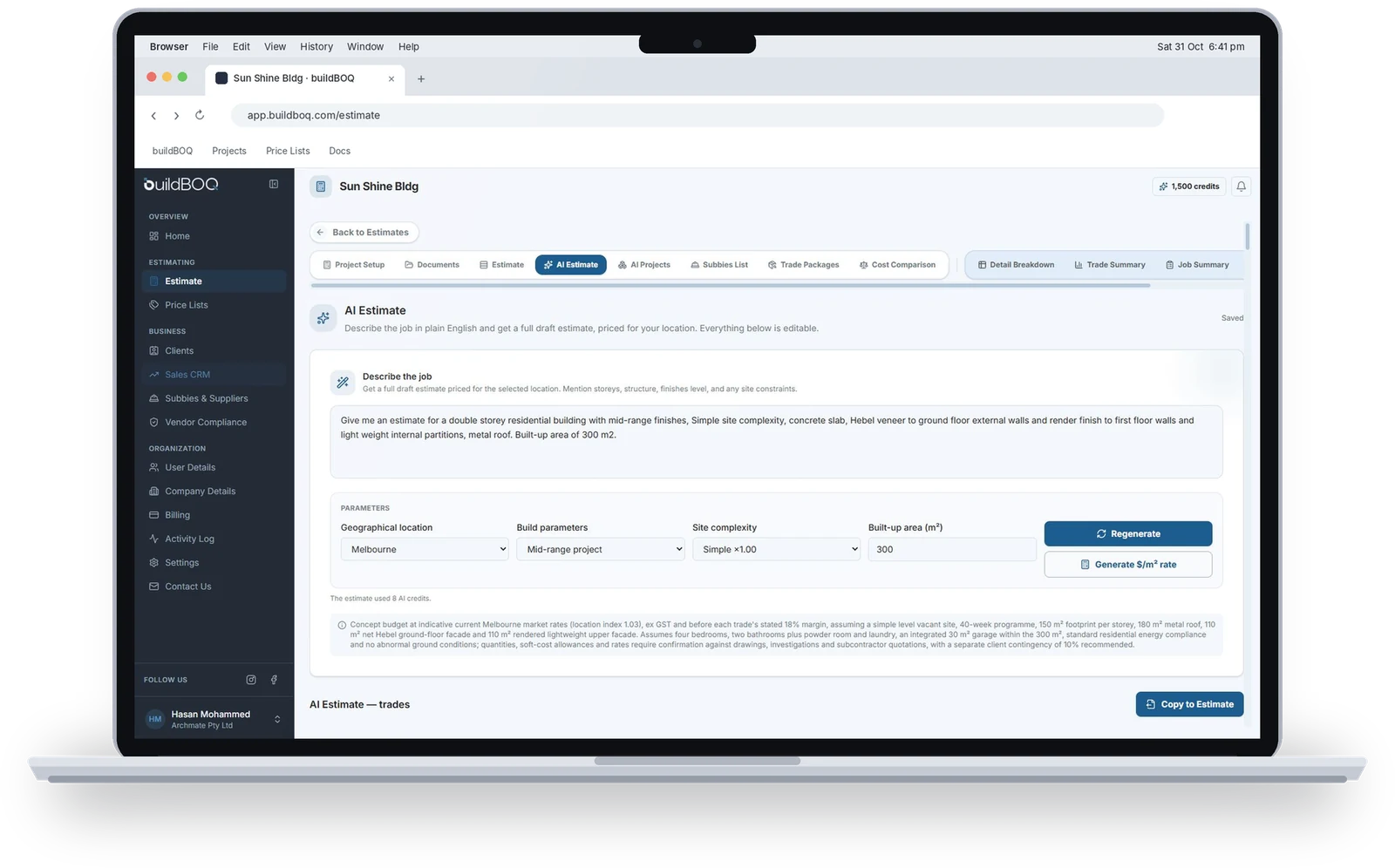
AI estimating
From a prompt or a full tender pack
AI Estimate: a ballpark in a minute
Decide go or no-go before you open the drawings
+ predefined parameters from the drop-down menus
~1 min
to a trade-by-trade breakdown, summary and $/m² rate
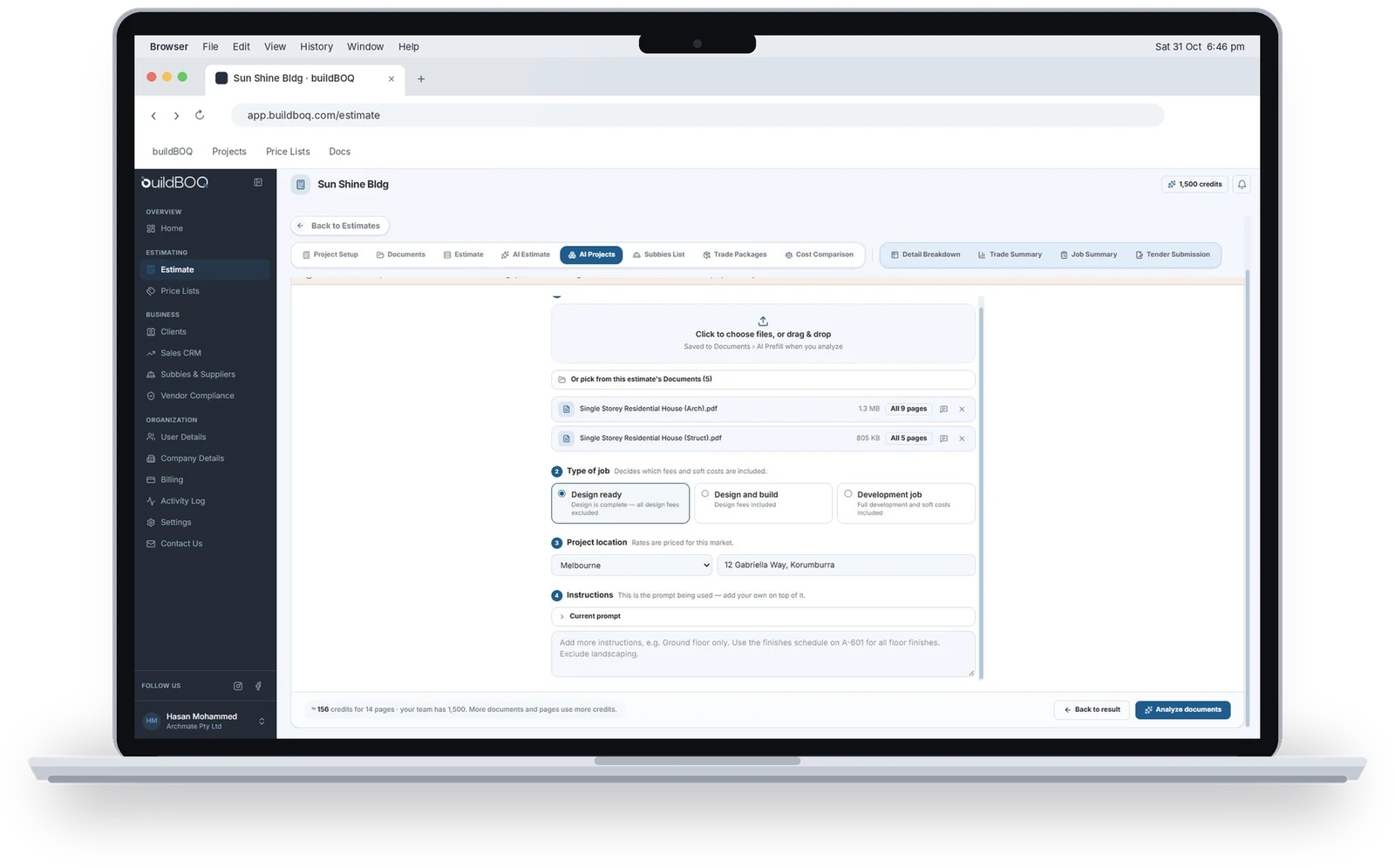
AI Projects: reads your tender documents
The masterpiece of buildBOQ
Going to market
Subbies, RFQs and cost comparison
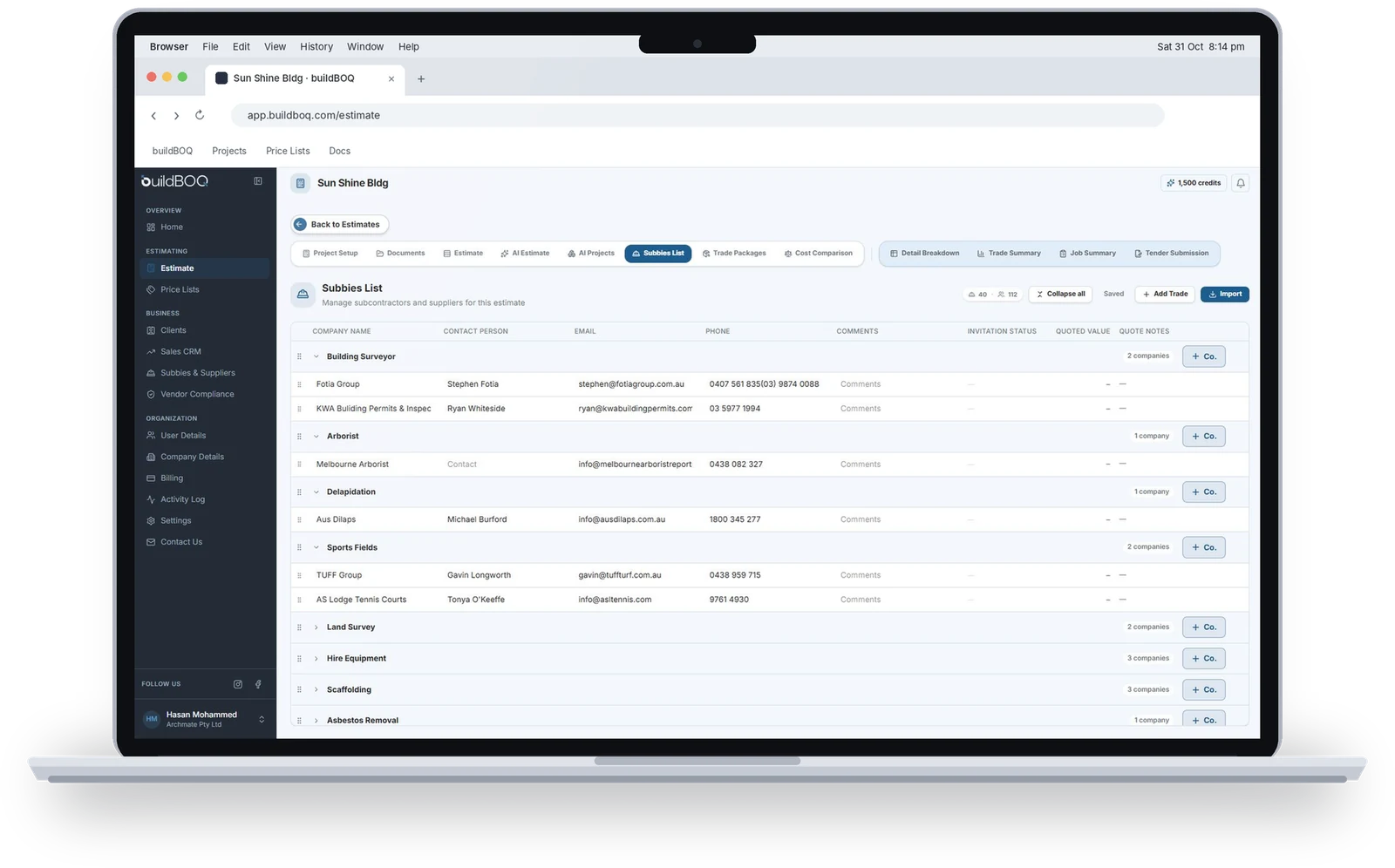
Subbies list and trade packages
Send RFQs straight from your estimate
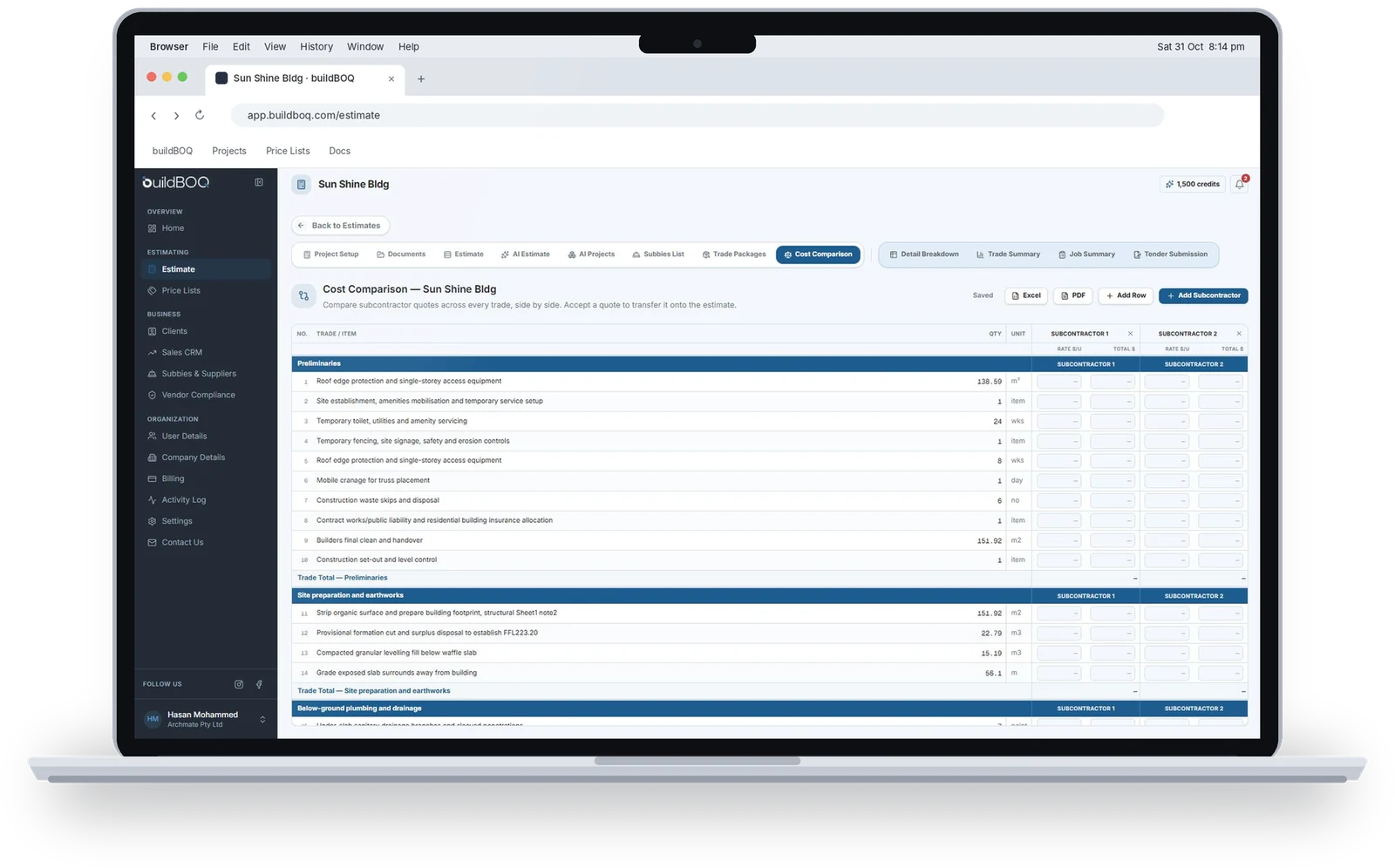
Cost comparison
Pick the winning quote, it lands in your estimate
- Every subbie and supplier quote, across all trades
- Compare prices side by side
- Select a quote to migrate it into the estimate
- Added as a subcontract amount for that trade or item
Run your business
Price lists, clients, CRM, compliance and admin
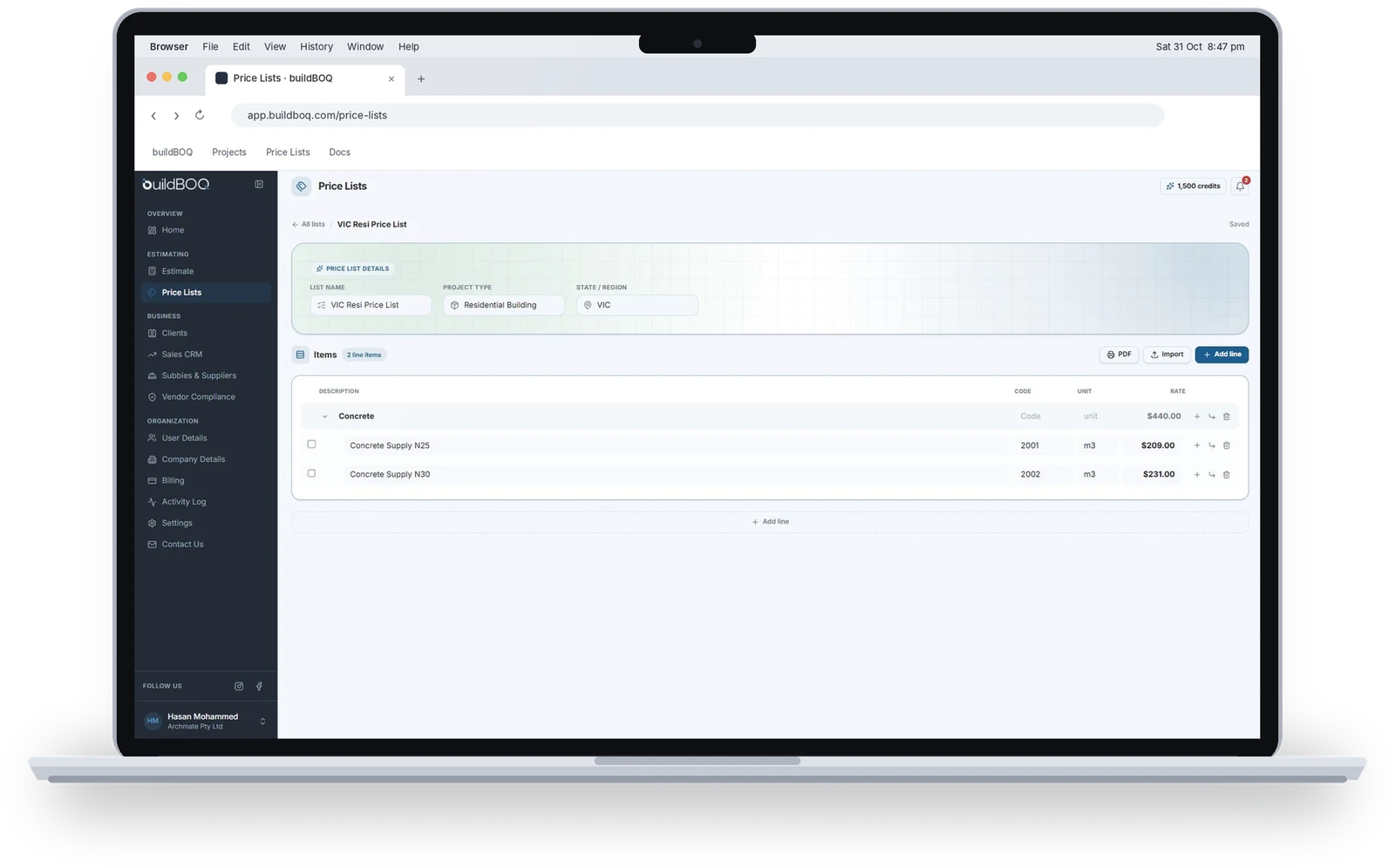
Price lists and clients
Your rates and your relationships
- Price Lists: separate lists for residential, commercial and more
- Import from Excel or build fresh in the app
- Clients: store client details
- Client dashboard: jobs quoted, status and strike rate (won, lost, awaiting)
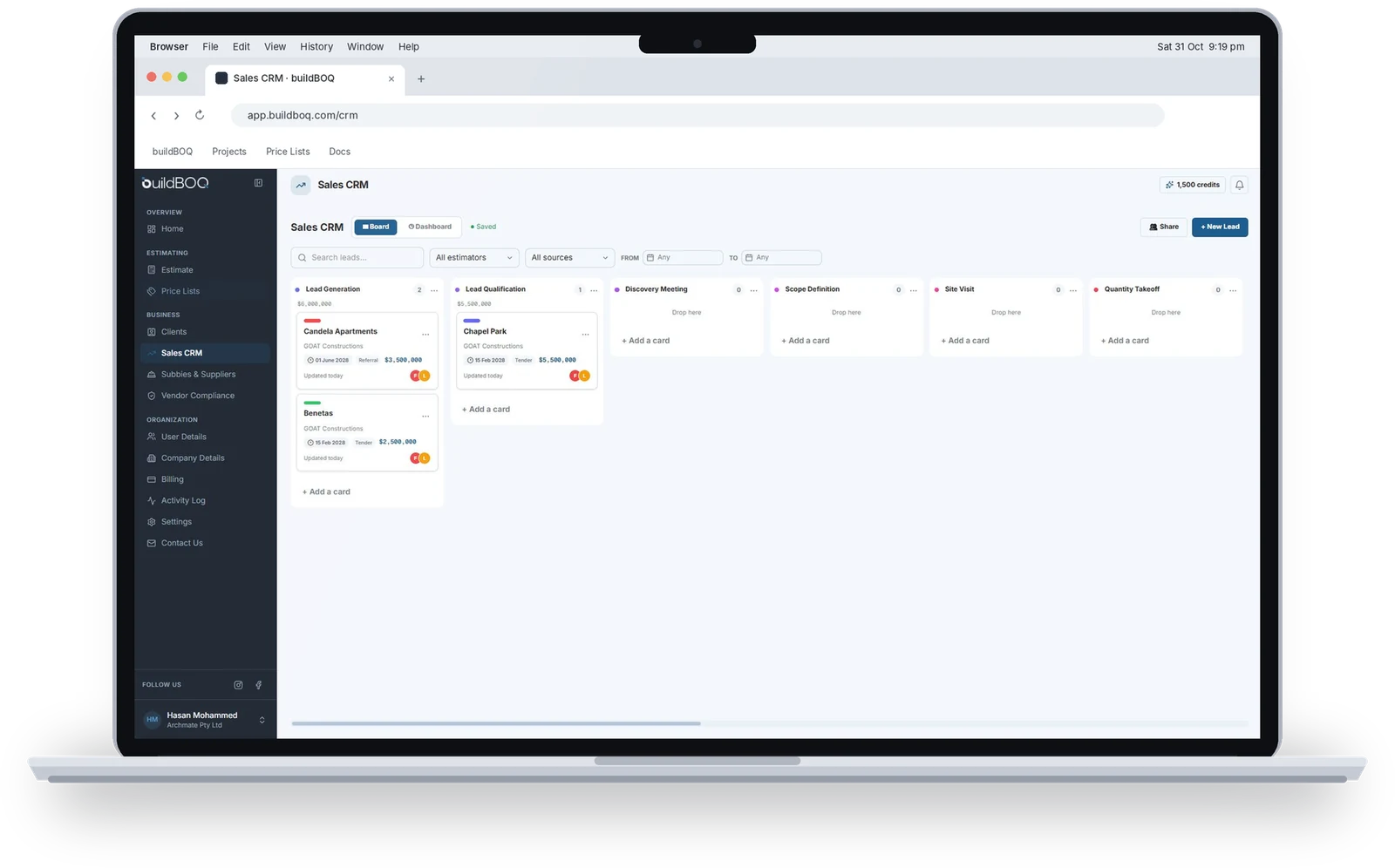
Sales CRM
From lead to tender submission on one board
Lead
1Candela Apartments
GOAT Constructions
$3,500,000
Qualified
1Benetas
GOAT Constructions
$2,500,000
Estimating
1Fitzroy Primary School
GOAT Constructions
$1,500,000
Submitted
0- Create and manage project cards
- Customise cards and stages to your sales process
- Keeps everyone involved in the loop
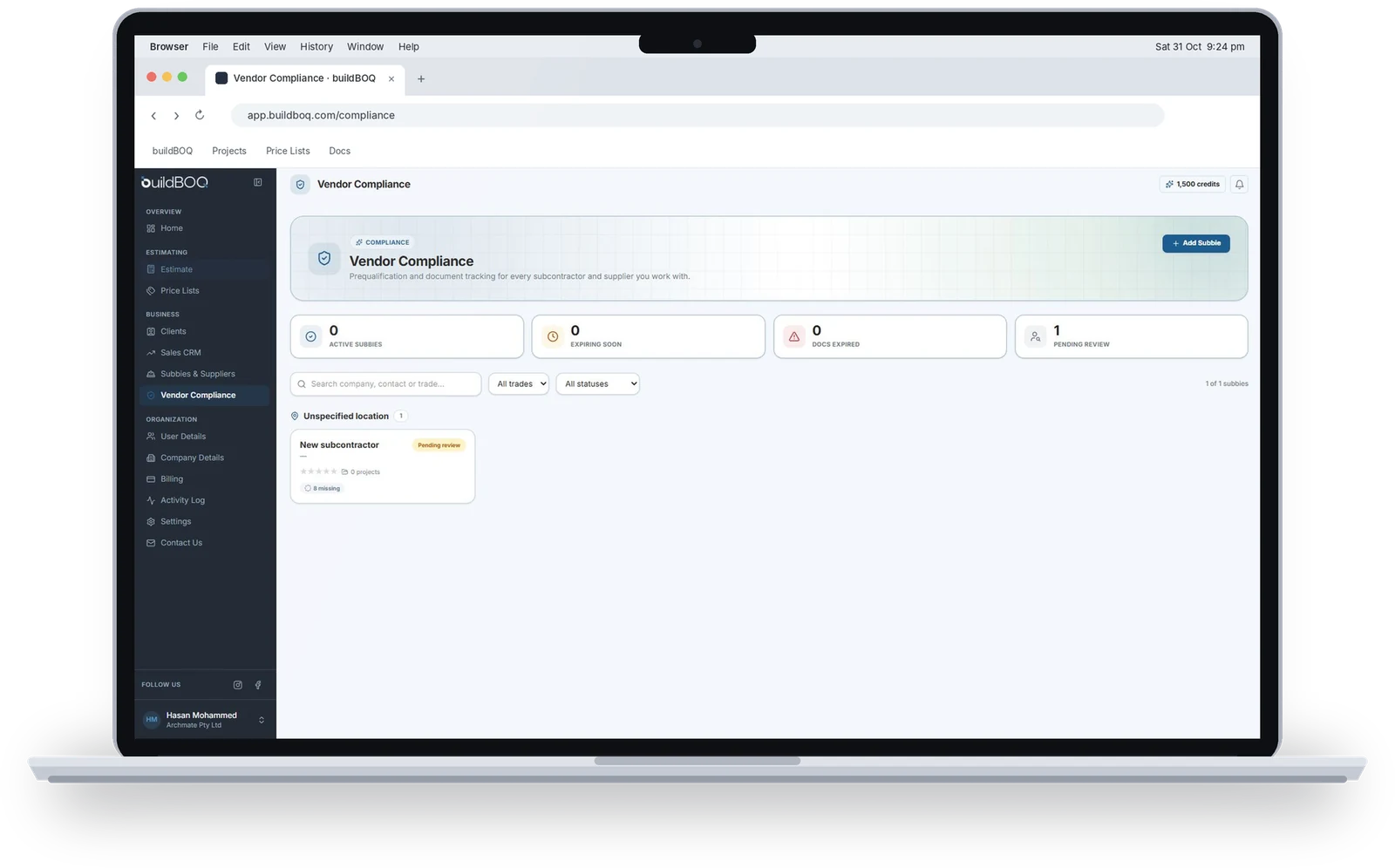
Subbies, suppliers and compliance
Ready for every tender qualification
- Create or import subcontractor and supplier lists
- Organise by region (VIC, NSW, QLD) or project type
- Bring lists into an estimate when sending RFQs
- Vendor Compliance: PL and PI insurance, trade licences, capability statements, WHS policies
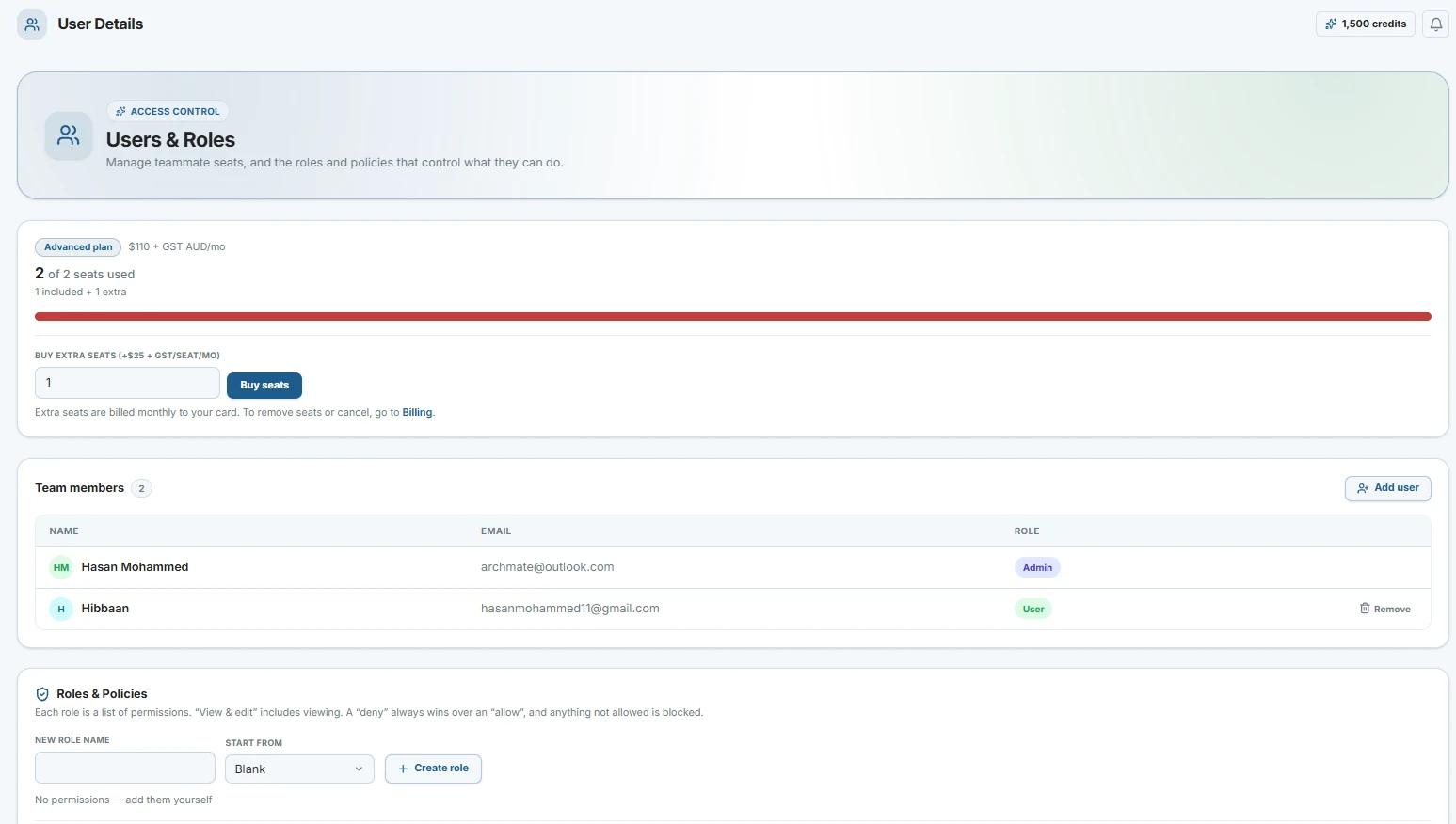
Users, company and billing
Users
- Add seats at a fraction of the cost
- Same organisation, matching email domain
- Create roles and manage access
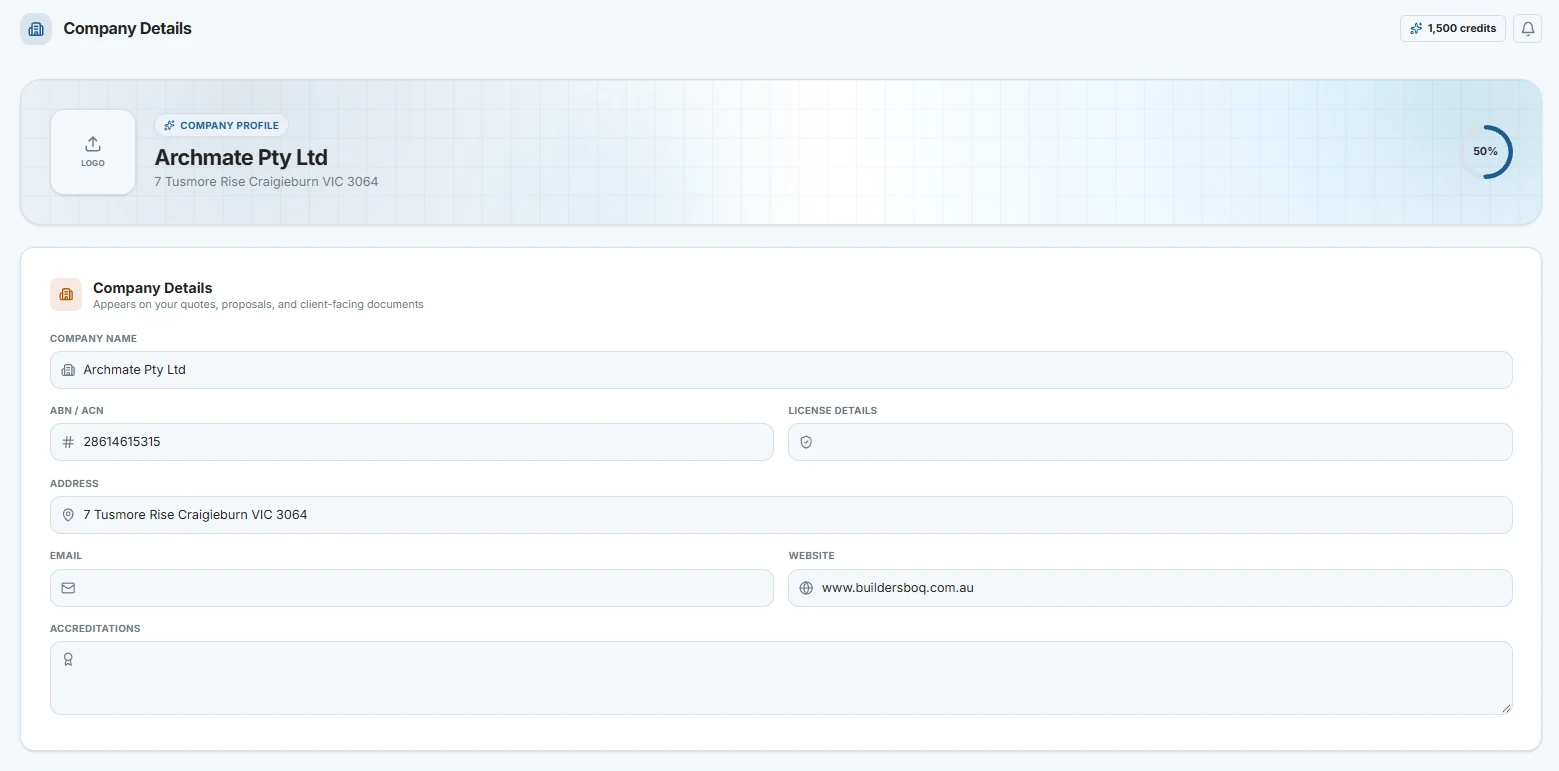
Company Details
- Organisation information
- Gallery of previous projects
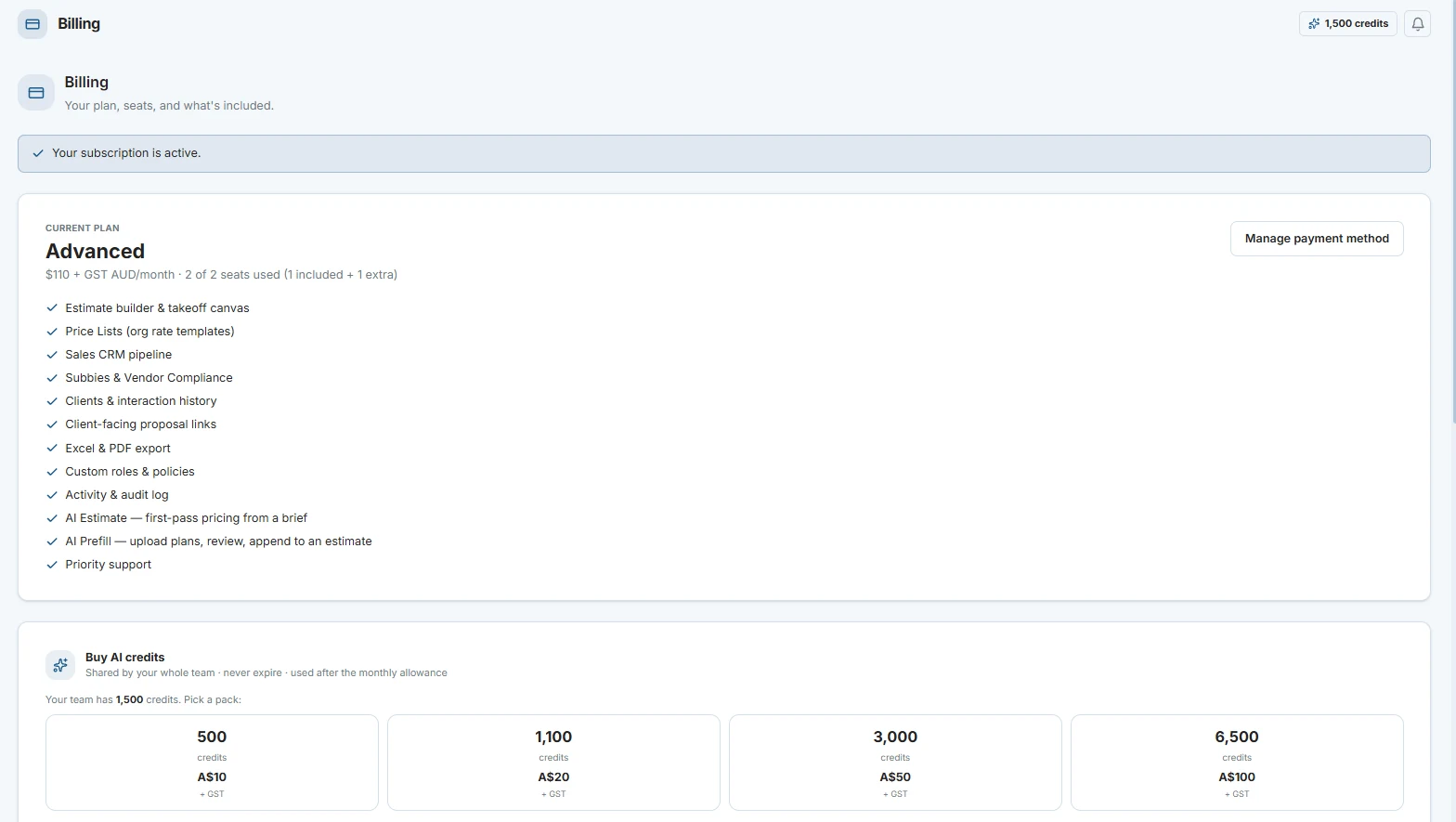
Billing
- Plan details
- 1,500 free AI credits, top up anytime
- Buy extra seats
- Credit usage by user